

Download AMPlayer APK – Free Mobile Media Player, Video Player, Multimedia Tool, HD Playback, Android App
Overview
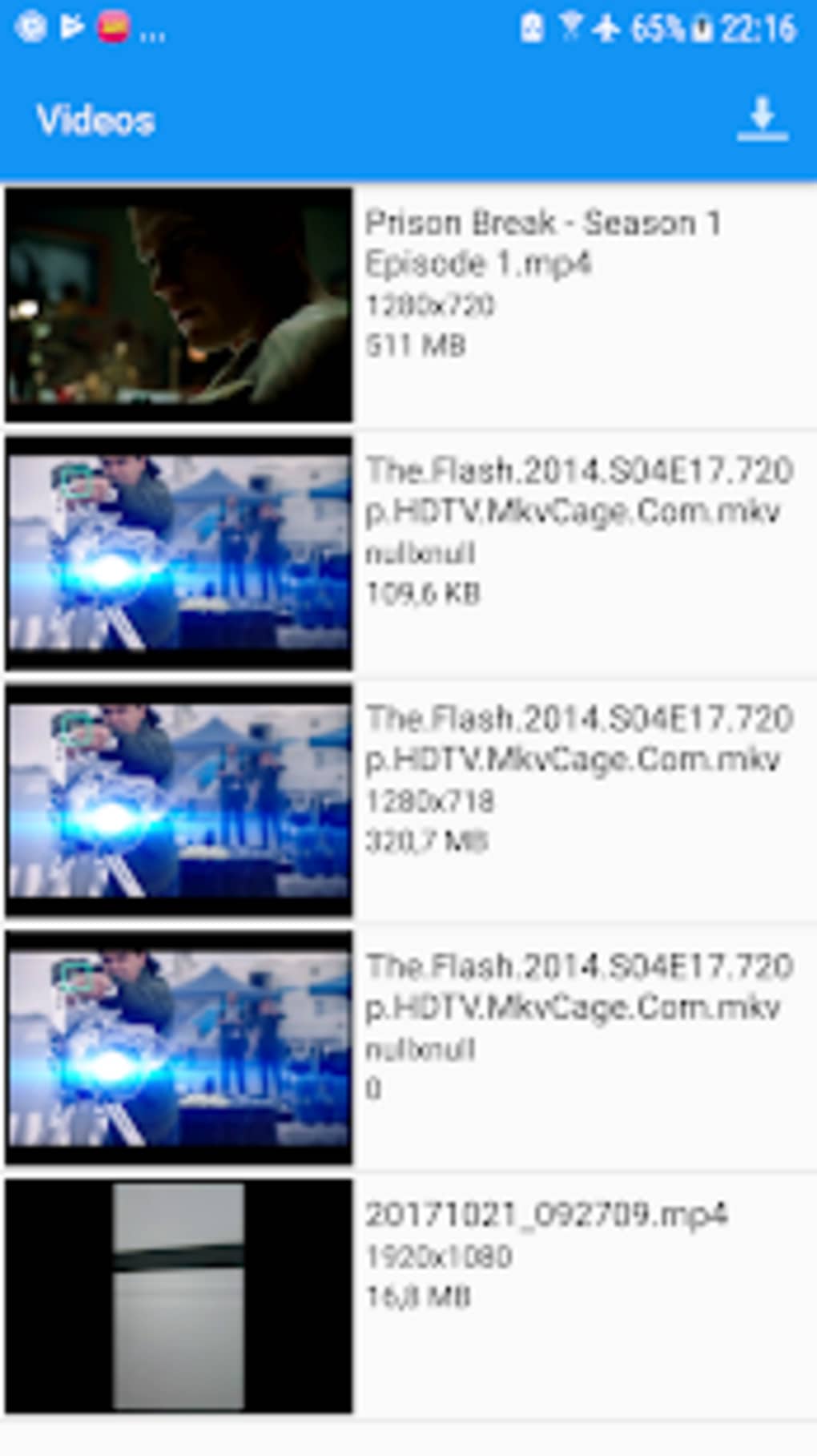
AMPlayer is a mobile media player designed for Android devices, enabling users to play video clips directly from their local storage. The application supports a wide range of popular video formats, offering faster and smoother HD playback through hardware acceleration. It is intended for general consumers seeking a straightforward way to view videos on their smartphones or tablets. The app automatically detects and displays video files on the home screen, allowing users to play content by tapping thumbnails. It also supports playlist creation, improving the viewing experience for users who want to watch multiple clips consecutively without repeated navigation.
AMPlayer leverages the Open Media Playlist format to enhance file compatibility, allowing the device to read and access various media types. While primarily focused on video playback, the app claims the ability to open additional file formats such as PDF and documents from online word processors. The developer did not provide detailed background information. Real-world usage scenarios include watching personal video recordings, downloaded movies, or shared media files on mobile devices. However, users have reported instability, particularly after the latest update, with frequent crashes and failure to launch.
Key Features & Capabilities
- Multi-format video support – Plays popular video formats including MP4, AVI, and others without requiring conversion.
- Hardware-accelerated playback – Utilizes device hardware to deliver smoother and faster HD video performance.
- Automatic quality optimization – Adjusts playback quality to the best available level based on device capabilities and file resolution.
- Open Media Playlist integration – Enhances compatibility with media files and supports access to additional file types like PDFs and online documents.
- Playlist creation – Allows users to group multiple videos for sequential playback, improving workflow efficiency.
- Local file recognition – Automatically scans and displays video files stored on the device’s internal storage or SD card.
These features make AMPlayer suitable for users who frequently watch downloaded or personal video content on mobile devices. The automatic quality adjustment reduces the need for manual configuration, while the playlist function enhances convenience during extended viewing sessions. The Open Media Playlist format may offer improved file handling, though its practical benefits are limited by the app’s current stability issues.
User Interface, Workflow & Performance
AMPlayer features a minimalistic interface focused on core playback functions. The home screen displays video thumbnails in a grid layout, allowing quick access to stored clips. Navigation is straightforward, relying on tap-based interactions to start playback or manage playlists. The workflow is designed for simplicity, aiming to reduce steps between file selection and viewing.
However, performance reports indicate significant instability. The developer did not specify resource usage details, and no official benchmarks were provided. Based on user feedback, the app often fails to launch or crashes during playback, especially after recent updates.
Performance observations are based on general software behavior patterns and reported user experiences. Stability issues may stem from compatibility problems with newer Android versions or underlying system changes. CPU and RAM usage patterns remain undocumented, but frequent crashes suggest potential inefficiencies in memory management or background processes.
Compatibility & System Requirements
AMPlayer is designed for Android devices and is distributed as an APK file, meaning it can be installed directly on compatible smartphones and tablets. The supported operating system is Android, though the specific version range was not provided. The installation size is not specified, and exact system requirements were not listed. The developer did not provide information on minimum hardware specifications such as RAM, processor, or storage space.
Compatibility information was partially provided. Users are advised to ensure their device meets basic Android requirements for APK installation. The app’s reliance on the Open Media Playlist format may affect compatibility with certain file systems or app ecosystems. However, no official restrictions or supported device models were mentioned.
Pros and Cons
Pros
- Supports a wide range of video formats without conversion.
- Hardware acceleration for smoother HD playback.
- Automatic quality optimization reduces manual settings.
- Playlist feature enhances viewing convenience.
- Free to download and use with no upfront cost.
Cons
- Frequent crashes and instability after recent updates.
- App often fails to launch or stops responding during playback.
- Contains banner ads, which may disrupt the viewing experience.
- Limited documentation on system requirements and compatibility.
- Performance issues affect usability despite available features.
FAQ Section
Is AMPlayer compatible with all Android devices?
AMPlayer is designed for Android, but specific compatibility details were not provided. Users should ensure their device supports APK installation and runs a compatible Android version.
Is AMPlayer safe to download and use?
The app is free to download, but users should obtain the APK from trusted sources to avoid potential security risks. No official security certifications were mentioned.
Does AMPlayer require an internet connection?
AMPlayer can function offline to play locally stored videos. However, some features may require internet access, particularly those related to file access via online services.
Can I use AMPlayer without ads?
AMPlayer is free to use and includes banner ads. No ad-free version was specified. Users seeking an ad-free experience may need to explore alternative players.
How often are updates released for AMPlayer?
Update frequency was not disclosed. Users have reported issues following the latest update, suggesting irregular or unstable release cycles.
Final Thoughts + CTA
AMPlayer offers a feature set typical of free mobile video players, including multi-format support, hardware acceleration, and playlist functionality. While the interface is simple and the app is free to download, its usability is significantly undermined by persistent crashes and instability. The presence of ads and lack of clear system requirements further reduce its appeal.
For users seeking a reliable media player, more stable alternatives are recommended. Despite its potential, AMPlayer’s current performance issues make it a poor choice for consistent use. Download AMPlayer now if you’re willing to accept the risks, but consider alternatives for a smoother experience.
Download AMPlayer APK now





.png)

